Yeah, Jerryd Bayless, the 6'2" guard from Phoenix, who starred at St. Mary's H.S. and the University of Arizona, deserves that question mark following his name.
The record will show that the Toronto Raptor finished this season averaging a little over 9 points per game in a little over 20 minutes per game.
But he saw some good minutes in the month of April (almost 38 minutes per game), started in 7 of 8 games, and produced to the tune of 22.5 points per game. It should be noted, however, that the Raptors lost 6 of those 8 games.
Bayless just finished his third year in the NBA. He came out of school early, and he turns 21 in August. He's already suited up for three different teams.
He's shown that he can score, and he seems to do fairly well when he gets the minutes. But, right now, he doesn't seem to really light it up off the bench. He's no "Microwave," at least not yet.
What will the future hold for him? They say there's always a roster spot in the NBA for a guy who can score, right? But, where does he fit in? He isn't your prototypical point guard, but he doesn't have shooting guard size. He seems inconsistent.
I keep waiting for the guy to break out.
He's still young, but... I'm afraid the jury is still out.
Wednesday, April 13, 2011

bonds gets off
Barry Bonds was found "guilty" of only the obstruction of justice charge. Mistrial on three counts of perjury after the jury failed to reach a verdict.
That's cool, I guess.
The main points here:
- Yes, Bonds used steroids.
- Yes, he lied about it.
- Yes, there should be an asterisk next to his name for the home run records.
But, I'm glad he got off, because I didn't really want to see him do time over this. We have too many people, too many men of color, and too many black men locked up as it is.
Besides, Barry Bonds has created a prison, and a hell, for himself.
That's cool, I guess.
The main points here:
- Yes, Bonds used steroids.
- Yes, he lied about it.
- Yes, there should be an asterisk next to his name for the home run records.
But, I'm glad he got off, because I didn't really want to see him do time over this. We have too many people, too many men of color, and too many black men locked up as it is.
Besides, Barry Bonds has created a prison, and a hell, for himself.
file managers
Some screenshots of various Linux file managers.
Krusader, in Mepis 8's KDE 3.5:


PCManFM, in Ubuntu Lucid's GNOME (from LXDE):

Dolphin, in SalineOS's Xfce (from KDE4):

Thunar, in SalineOS's Xfce:

Krusader, in Mepis 8's KDE 3.5:

Konqueror, in Mepis 8's KDE 3.5:

D3lphin, in Mepis 8's KDE 3.5:

Nautilus, in Ubuntu Lucid's GNOME:

PCManFM, in Ubuntu Lucid's GNOME (from LXDE):

Dolphin, in SalineOS's Xfce (from KDE4):

Thunar, in SalineOS's Xfce:

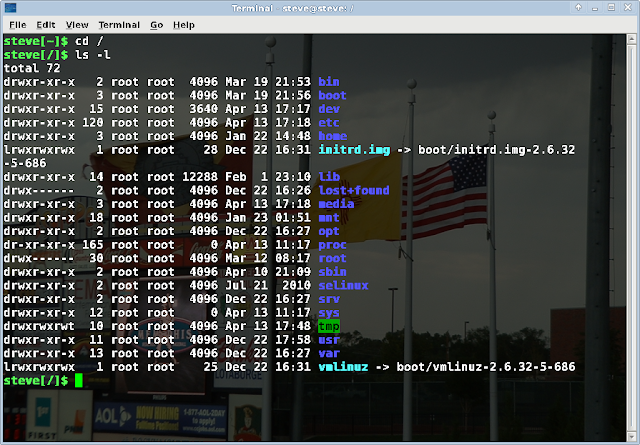
And, finally, the old-fashioned command line -- xfce4-terminal in SalineOS:

Tuesday, April 12, 2011
gnome 3
I read Prashanth's review of the new GNOME 3, which gave me a good idea of what GNOME 3 is all about, I think. I was almost tempted to take a look at it myself, by trying the Fedora-based live CD available for download at http://www.gnome3.org/tryit.html.
But, I figured it would be a waste of time. I'd probably only play around with the live CD once or twice. Also, there will probably be quite a few changes to GNOME Shell by the time I actually get around to installing a distro that comes with GNOME 3.
From what I've seen so far, nothing about GNOME 3 excites me. It bugs me that it seems to be aimed more at folks who use portable devices with touchscreens, and perhaps netbook users, than at PC users. Prashanth's comments about not being able to click on the desktop and not being able to configure the panels don't make GNOME 3 seem very appealing.
While KDE4 evolved into something that I really enjoy using, I'm not confident that the same thing will happen with GNOME 3. Perhaps I won't mind the "fallback mode" so much. We'll see how things go; most likely, I won't have to make a decision about it until Ubuntu Lucid and/or Debian Squeeze (I'm running GNOME in both) come to the end of their respective lives. At that point, if I find that I don't like GNOME 3, there's always KDE4 and Xfce; I can install and use one of those instead.
But, I figured it would be a waste of time. I'd probably only play around with the live CD once or twice. Also, there will probably be quite a few changes to GNOME Shell by the time I actually get around to installing a distro that comes with GNOME 3.
From what I've seen so far, nothing about GNOME 3 excites me. It bugs me that it seems to be aimed more at folks who use portable devices with touchscreens, and perhaps netbook users, than at PC users. Prashanth's comments about not being able to click on the desktop and not being able to configure the panels don't make GNOME 3 seem very appealing.
While KDE4 evolved into something that I really enjoy using, I'm not confident that the same thing will happen with GNOME 3. Perhaps I won't mind the "fallback mode" so much. We'll see how things go; most likely, I won't have to make a decision about it until Ubuntu Lucid and/or Debian Squeeze (I'm running GNOME in both) come to the end of their respective lives. At that point, if I find that I don't like GNOME 3, there's always KDE4 and Xfce; I can install and use one of those instead.
Friday, April 8, 2011
Dedoimedo on LMDE
Hm. Dedoimedo gives Linux Mint Debian Edition a great review; compare that to his less-than-glowing review of Debian Squeeze.
I noticed that in the LMDE review, he made no mention of the tons of updates necessary to bring LMDE up to speed. LMDE needs regular "snapshot" .iso's (sort of like PCLinuxOS does with their quarterly releases), in my opinion.
I do agree with some of his points about Squeeze, though. Debian isn't up there with other distros when it comes to the out-of-the-box experience, or when it comes to the installation experience. SalineOS, for example nailed it here where Squeeze didn't.
But, as with most reviews, his focuses on initial impressions, not how things go over the long-term. I'm still not sold on either LMDE (based on Debian Testing) or SalineOS (based on Debian Squeeze) over Debian Stable when it comes to long-term usage. I don't mind struggling with a Debian Stable installation once every few years, knowing that it will end up being trouble-free and solid for the duration. LMDE and SalineOS are still too new for me to feel confident about how things will look down the road; and, in the end, LMDE and SalineOS are still essentially one-man-distro spin-offs of "the real thing." Not that I have anything against one-man-distros...
Since I prefer to use Stable instead of Testing anyway, I have yet to install LMDE; quite happy so far with Saline, though.
Not trying to knock either of those two distros -- I'm actually really glad to see both of them out there (along with Mepis). Both of them do something that Debian doesn't: They give users an easy Debian installation (or, and easier one than they can get from "straight" Debian), and a great out-of-the-box experience.
But, neither LMDE nor SalineOS can replace Debian Stable for me here. Yet. We'll see how things go in the future.
I noticed that in the LMDE review, he made no mention of the tons of updates necessary to bring LMDE up to speed. LMDE needs regular "snapshot" .iso's (sort of like PCLinuxOS does with their quarterly releases), in my opinion.
I do agree with some of his points about Squeeze, though. Debian isn't up there with other distros when it comes to the out-of-the-box experience, or when it comes to the installation experience. SalineOS, for example nailed it here where Squeeze didn't.
But, as with most reviews, his focuses on initial impressions, not how things go over the long-term. I'm still not sold on either LMDE (based on Debian Testing) or SalineOS (based on Debian Squeeze) over Debian Stable when it comes to long-term usage. I don't mind struggling with a Debian Stable installation once every few years, knowing that it will end up being trouble-free and solid for the duration. LMDE and SalineOS are still too new for me to feel confident about how things will look down the road; and, in the end, LMDE and SalineOS are still essentially one-man-distro spin-offs of "the real thing." Not that I have anything against one-man-distros...
Since I prefer to use Stable instead of Testing anyway, I have yet to install LMDE; quite happy so far with Saline, though.
Not trying to knock either of those two distros -- I'm actually really glad to see both of them out there (along with Mepis). Both of them do something that Debian doesn't: They give users an easy Debian installation (or, and easier one than they can get from "straight" Debian), and a great out-of-the-box experience.
But, neither LMDE nor SalineOS can replace Debian Stable for me here. Yet. We'll see how things go in the future.
Thursday, April 7, 2011
KRename in Dolphin
There are several different ways to perform a bulk rename of files in Linux, but I've been using KRename in Dolphin to do the trick.
Here, I'm using Dolphin in Debian Squeeze, even though I'm using GNOME in that distro.
First, I open up Dolphin to the correct directory and select the group of files that I want to rename. Then I right-click on the files and, from the box that pops up, click on "Rename with KRename."

KRename opens up to the Filename tab, and within that, the Simple Filename tab. The default setting under "Filename" is to use the original filename. The window at the bottom shows the original name, and what it would be renamed to.

I use the "Custom Name" option. Adding a pound sign (#) at the end instructs KRename to number the files. You can see how the filenames will look in the window at the bottom.

Click on the "Finish" button, and the operation proceeds. When it's done, click on the "Close" button.

And, there you have it! Here's how the files end up looking in Dolphin:

Here, I'm using Dolphin in Debian Squeeze, even though I'm using GNOME in that distro.
First, I open up Dolphin to the correct directory and select the group of files that I want to rename. Then I right-click on the files and, from the box that pops up, click on "Rename with KRename."


Click on the "Finish" button, and the operation proceeds. When it's done, click on the "Close" button.


spring = baseball
Nothing like April and high school baseball!
From Albuquerque, NM:
Del Norte Knights at St. Pius X Sartans, April 5, 2011.


From Albuquerque, NM:
Del Norte Knights at St. Pius X Sartans, April 5, 2011.



Subscribe to:
Posts (Atom)
