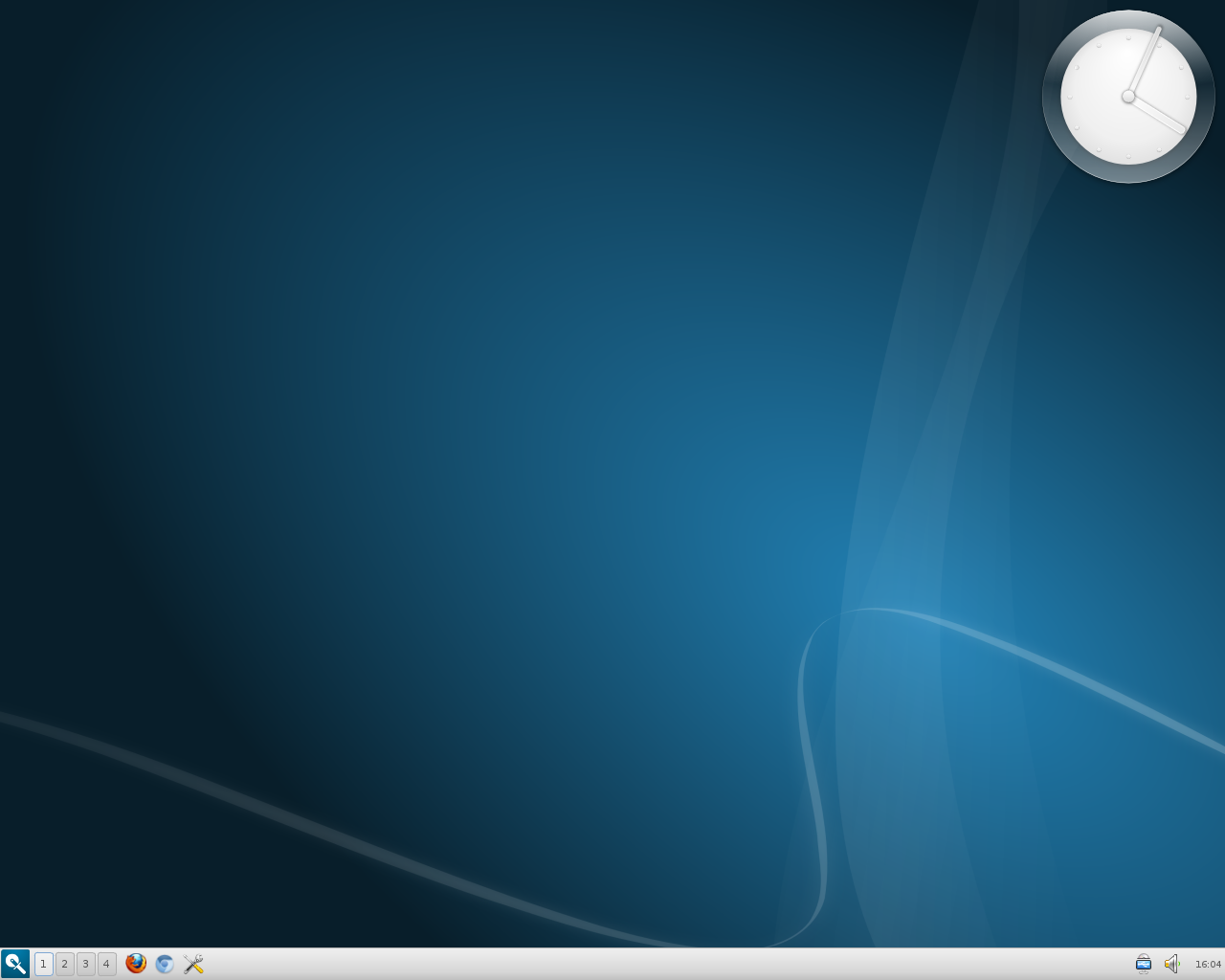
Saturday, April 27, 2013

launching stuff

KDE has a reputation of being perhaps the most configurable of the Linux desktop environments; for some people, it has far too many configuration options.

KDE gives you a lot of different ways to launch applications, for example. You can always place launchers on the desktop or on the panel, of course. There's also the default Kickoff Application Launcher, which looks something like this in openSUSE 12.3 (this is KDE 4.10.2):


I prefer the Classic Menu Style, with a custom submenu:


Then there's the Lancelot menu:


Or, you can use the Alt+F2 key combination to bring up KRunner. KRunner's a very versatile tool; you can read a lot more about it at the KDE UserBase Wiki. For simply launching applications, you can just type a few letters into the search box to get a list of apps to choose from:


Homerun, yet another KDE launcher, might not be included by default in your favorite distro. I've read that Kubuntu 13.04 comes with it, but in openSUSE 12.3, I had to add the KDE:Extras repo to be able to install Homerun. Its default "Home" view shows "Favorite Applications," "Favorite Places," and "Recent Documents."


I switched things around so that the "Applications" tab is the default view:


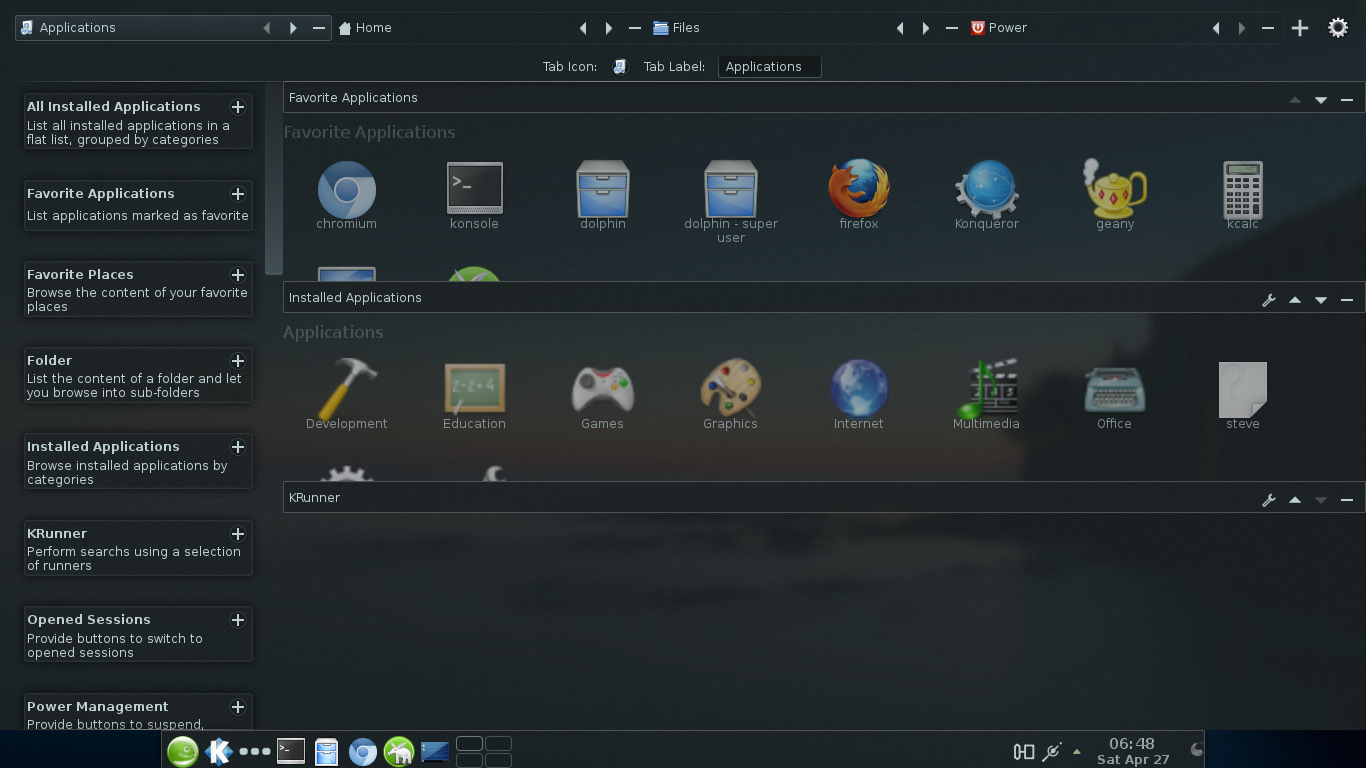
As you can see, Homerun includes four tabs: "Home," "Applications," "Files," and "Power." It also has KRunner at the top, to the right. In some ways, Homerun might be nicer than GNOME Shell's Activities Overview, to which it is often compared. Here's a shot of my Activities Overview in Ubuntu 12.04:


Homerun has a nice configuration mode, accessed by clicking on the icon in the upper-right corner. From here, you can move the tabs around and add/remove various categories:


Besides what I've mentioned here, KDE has, as well, several other ways to launch applications, so it's just a matter of choosing whatever suits one's tastes and needs. In the Dolphin file manager, if you type programs:/ in the search bar and press Enter, you can access applications; it'll look something like this, depending on how you have Dolphin set up:


Konqueror, KDE's web browser/file manager, also gives you some ways to launch applications. Clicking Go > Applications will show you something like this:


Or, click Settings > Show Sidebar, then click on the Sidebar's Services tab:


But, who really needs any of these silly approaches when you can simply open up Konsole and run an app from the command line?

steve[~]$ geany

LOL!


I'll end this post with a shot of yet another tool, the Search and Launch Activity. To get this, you have to create a new Activity, then click Templates > Search and Launch. Here's what it looked like in openSUSE 12.3 when I switched to the Search and Launch Activity:


Monday, April 22, 2013

Saturday, April 20, 2013

semantic desktop

Here's an informative article: Semantic Desktop: Akonadi and Nepomuk

I know that people use KDE4's indexing tools, and say that the whole things's great. I can see that, for example, adding tags, ratings, or comments to my image files might be quite useful. But I haven't bothered; I stick with keeping my directories organized, in my old-fashioned way, and naming/renaming files as needed. Besides, none of that metadata would help me when I'm not using KDE -- and I use other DEs and WMs quite a bit.

The user can still turn that stuff off, and I think it should be off by default. But the author included a pretty good explanation of why, since KDE 4.10, having it on doesn't affect performance as much anymore:

Up until KDE 4.9 Nepomuk used a file indexing program called Strigi. While a good, fairly light-weight indexer, Strigi has drawbacks in getting it to work with Nepomuk in the way needed. But with the release of KDE Plasma Desktop 4.10, Nepomuk is Strigi-less. Thanks largely to the hard work of a talented developer named Vishesh Handa, Nepomuk was re-worked from the ground up, and even has it's own indexer now. The difference in performance and speed are extremely noticeable...

As with any environment, there are things I miss when I'm not using KDE, but these indexing tools are not among them. These "features" didn't bother me before KDE 4.10, since it took only a few moments to turn them off, and they don't bother me in 4.10.x because I'm fine with the responsiveness of the desktop even with everything turned on. But do I need a semantic desktop? Not convinced.

KDE devs put a lot of effort into providing features that users may or may not want or need, and I've got no problem with that. But KDE4 would be better, in my opinion, if it "shipped" with most "features" turned off, or if you could just add the ones you wanted. Or, better yet, if they shipped a "stripped-down" KDE4 version.

They can't or won't do any of that, but that's okay, because whether it's KDE 4.8.x, 4.9.x, or 4.10.x, I enjoy using it; the positives far outweigh any negatives. Still, I'm just as happy using Xfce, GNOME Shell, Openbox, etc. Hey, whatever works.

Monday, April 15, 2013

"slavery to connectivity"

Have we become (or are many of us becoming) slaves to connectivity? For ComputerBob and his wife, portable devices like smartphones and tablets equal less "freedom" rather than more. ComputerBob and his wife, like many other people (believe it or not!), don't rely on cell phones, and still use a land line at home. Check out his blog post, "What's a Dial Tone?"

I think they're being smart in the way they're looking at things. I own two notebooks, but I don't bother taking them with me when I leave home. I have a smartphone, but I rarely use if for the internet. I find it annoying, sometimes, that I'm paying for service for me and M.A.L., that I have to handle this fragile smartphone with such tender care, and that I have to keep it charged and remember to take it with me everywhere I go.

But, I'm glad I have my portable, web-ready devices. Dang things come in handy sometimes. Either way you look at it, freedom has its price, as they say.

change happens

Things fall apart. Change happens. GNU/Linux can and does change, and Linux users should always keep that in mind and prepare for it.

The Fuduntu developers' decision to end the project is yet another example of this. They'd decided that GNOME 2 was gonna be their desktop environment of choice, even though GTK2 support was drying up rapidly. In addition, as Lee Ward noted in the post announcing Fuduntu's EOL, "...the move of the Linux world to systemd has caused a problem for Fuduntu as it has become a required thing for many programs, but we do not use it."

This kind of thing is one of the main reasons why I don't get too tied down to any one distro or DE, and why, these days, I tend to steer clear of relatively new spin-off distros with small development teams. If I'm gonna use a distro like that, there's gonna have to be a compelling reason to do so, but in no case will I put all my eggs in one basket and go with only that distro. I had enough of that sort of thing when I was a Windows user.

As for the future beyond Fuduntu's EOL, Ward wrote:

Following that decision, however, most of the team members then discussed the idea of creating a “new” Fuduntu... The plan for the new distro is to rebase it against another well-established distro... The Fuduntu team is committed to bring the best desktop experience and the only way to do that is to EOL Fuduntu and, for those continuing, start from scratch and allow a phoenix to rise from the ashes.
Next week, there will be another meeting in #fuduntu on Freenode. This will be a public meeting to discuss the future distro that will be started after Fuduntu’s EOL...

So, stay tuned.

Fuduntu did look like a very interesting distro, but the main reason I never bothered to try it was because they were sticking with GNOME 2, which, frankly, I haven't missed at all.

Sometimes, you've got to know when to fold 'em. Life goes on.

Sunday, April 14, 2013

razor-qt

In openSUSE 12.2 (KDE), I used YaST to add the QtDesktop repo, then installed Razor-qt 0.5.2, which is the latest version.

When you first run Razor-qt, you get a choice of window managers to use. Since I already had Openbox installed, I chose that (the other choice given was KWin).

Here's what the default desktop looked like:


I changed the wallpaper and tweaked the panel a bit:


This shot shows the desktop right-click menu:


The Razor-qt Configuration Center in openSUSE 12.2 (KDE):


Here's what you'll see if you click on "Unlock Desktop..." from the desktop right-click menu:


Razor-qt is still a fairly new project, so users might find it to be a wee bit buggy. For example, configuring the date and time is easy enough, but the font size for the date doesn't seem to survive when logging out and back into a new session.


Very promising project, though, and it appears to be completely usable right now.

Tuesday, April 9, 2013

moving right along


Chakra might be one of the best KDE distros out there. They're going with a "half rolling-release" schedule; their focus is on KDE, and it looks like they'll be staying near the cutting edge with it. I noticed this announcement at their web site:


I don't think many other distros have already going to KDE 4.10.2. I brought in the updates yesterday, and everything went smoothly.

Like Arch, from which it was forked, Chakra uses Pacman, although they haven't (yet) gone to the latest version, Pacman 4.1.0.


My biggest complaints about Chakra so far have been that (unlike in Sabayon) the Chakra repos don't have SpaceFM or Geany, and there was no Show Desktop widget for the panel. I'm guessing that they won't be adding SpaceFM and Geany, but I'm cool with using Dolphin and KWrite instead. As for the Show Desktop widget, the following command fixed that minor detail:

# pacman -S kdeplasma-addons-applets-showdesktop

Very nice looking distro.