Back in August, I took a look at a live session of KWheezy 1.0.1. Kwheezy 1.2 was released on September 20th. Here's a link to Jim Lynch's review of the release over at Desktop Linux Reviews.
Lynch had mostly positive things to say about Kwheezy; it looks like a solid distro. I agree with his comment that the "enormous range of [included] applications is both good and bad." For my tastes, Kwheezy ships with far too much stuff, but other users might find a loaded distro like this to be appealing.
Showing posts with label kwheezy. Show all posts
Showing posts with label kwheezy. Show all posts
Tuesday, October 1, 2013

Monday, August 19, 2013
two reviews
As I mentioned earlier, I probably won't install Kwheezy here, so I was happy to see that Arindam Sen has posted a review of Kwheezy 1.1. As always, Sen took a very good look at things, live session as well as hard drive installation. Here's a link to the review: http://mylinuxexplore.blogspot.co.uk/2013/08/kwheezy-11-review-good-debian-spin-for.html
While reading the comments following the article, I noticed that there's another Kwheezy 1.1 review out there by someone who goes by the name of nilguy, over at the Darbar linux blog. Here's a link to that review.
Good to see that Kwheezy is getting some attention!
While reading the comments following the article, I noticed that there's another Kwheezy 1.1 review out there by someone who goes by the name of nilguy, over at the Darbar linux blog. Here's a link to that review.
Good to see that Kwheezy is getting some attention!
Tuesday, August 13, 2013
kwheezy 1.1
Here's a link to the Kwheezy 1.1 release announcement, posted today at the Kweezy Blog.
From the announcement:
Changes in version 1.1:
- Minor improvements to the installer. Including the hardware clock to local-time fix.
- Keyboard selection before and after installation. New app called "Kwheezy Keyboard Selector".
- Locale (language) support. New app called "Kwheezy Localizer".
- Firefox/Thunderbird language extensions.
- Firefox now supports magnet links out-the-box and Flashgot addon enabled with Kget as download manager.
- KDE Touchpad Configuration now installed by default.
- No login sound in Live session (speeds it up a bit).
- A few other minor stuff.
As usual, you can upgrade to Kwheezy 1.1 from the Kwheezy repository via Apper or apt-get.
Also, for those who follow this sort of thing, Kwheezy is currently sitting at #47 on DistroWatch's Page Hit Ranking (30-day span): http://distrowatch.com/index.php?dataspan=4
From the announcement:
Changes in version 1.1:
- Minor improvements to the installer. Including the hardware clock to local-time fix.
- Keyboard selection before and after installation. New app called "Kwheezy Keyboard Selector".
- Locale (language) support. New app called "Kwheezy Localizer".
- Firefox/Thunderbird language extensions.
- Firefox now supports magnet links out-the-box and Flashgot addon enabled with Kget as download manager.
- KDE Touchpad Configuration now installed by default.
- No login sound in Live session (speeds it up a bit).
- A few other minor stuff.
As usual, you can upgrade to Kwheezy 1.1 from the Kwheezy repository via Apper or apt-get.
Also, for those who follow this sort of thing, Kwheezy is currently sitting at #47 on DistroWatch's Page Hit Ranking (30-day span): http://distrowatch.com/index.php?dataspan=4
Thursday, August 1, 2013
kwheezy live
The Kwheezy developer, Euan Thoms, suggested that I "download the torrent" to get the Kwheezy .iso, so I used KTorrent (in Debian Wheezy KDE, by coincidence) to download kwheezy-1.0.1-(32bit).iso.
Huge (3.6G) download. I used K3b to burn it onto a disk, then booted one of my notebooks with it.
Wow. This distro comes fully loaded. Going by what I'm seeing in the live session, Kwheezy would be great for a beginner, and many experienced users would appreciate something like this, as well.
I prefer the classic-style menu in KDE, so I appreciated that this was chosen as the default in Kwheezy.

The panel is set up nicely with all kinds of useful icons. They even included the Icon-Only Task Manager, which I prefer. Of course there are tons of widgets that you can add -- KDE, ftw.

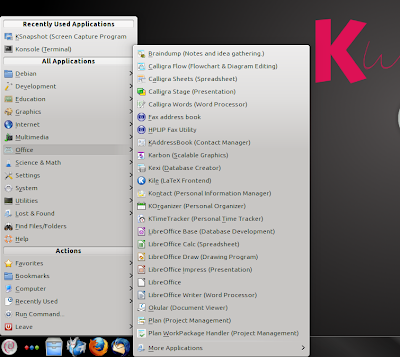
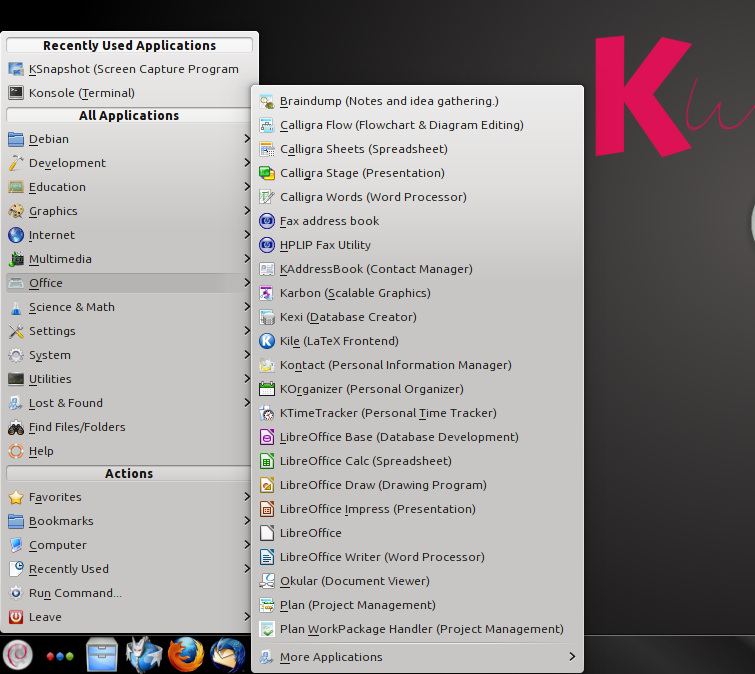
A few more shots showing some of what's in the menu (as always, click on the image for a larger view):




The upper-left corner hotspot is already set up for access to the cube:

As I mentioned earlier, I probably won't be doing an installation with Kwheezy anytime soon, so I can't comment on the installer (other than to mention the "Install Kwheezy" icon located conveniently at the upper-left corner of the desktop) or how well things look once installed. Perfect situation for a virtual installation, though...
However, Kwheezy looks perfect for using for my live sessions, although I'd rather that it came with GParted and not just KDE Partition Manager. But I'm okay with that, too.

Everything's there to get the user up and running, and of course the vast Debian software repositories are available for whatever else might be needed.

In fact, I feel kinda funny calling this a Debian-based distro; clearly, it's Debian Wheezy with KDE -- a lot of KDE! As noted at the Kwheezy home page, "Not so much a distribution based on Debian, but rather 'a well configured Debian KDE installer'."
Looks very good. I'll be surprised if Kwheezy doesn't become very popular among Linux folks. I'm very happy to see it out there.
To find out more, check out the tour page at the Kwheezy site, here.
Huge (3.6G) download. I used K3b to burn it onto a disk, then booted one of my notebooks with it.
Wow. This distro comes fully loaded. Going by what I'm seeing in the live session, Kwheezy would be great for a beginner, and many experienced users would appreciate something like this, as well.
I prefer the classic-style menu in KDE, so I appreciated that this was chosen as the default in Kwheezy.

The panel is set up nicely with all kinds of useful icons. They even included the Icon-Only Task Manager, which I prefer. Of course there are tons of widgets that you can add -- KDE, ftw.

A few more shots showing some of what's in the menu (as always, click on the image for a larger view):




The upper-left corner hotspot is already set up for access to the cube:

As I mentioned earlier, I probably won't be doing an installation with Kwheezy anytime soon, so I can't comment on the installer (other than to mention the "Install Kwheezy" icon located conveniently at the upper-left corner of the desktop) or how well things look once installed. Perfect situation for a virtual installation, though...
However, Kwheezy looks perfect for using for my live sessions, although I'd rather that it came with GParted and not just KDE Partition Manager. But I'm okay with that, too.

Everything's there to get the user up and running, and of course the vast Debian software repositories are available for whatever else might be needed.

In fact, I feel kinda funny calling this a Debian-based distro; clearly, it's Debian Wheezy with KDE -- a lot of KDE! As noted at the Kwheezy home page, "Not so much a distribution based on Debian, but rather 'a well configured Debian KDE installer'."
Looks very good. I'll be surprised if Kwheezy doesn't become very popular among Linux folks. I'm very happy to see it out there.
To find out more, check out the tour page at the Kwheezy site, here.
Tuesday, July 30, 2013
Kwheezy
Kwheezy was added to the the DistroWatch database this week. Ladislav Bodnar wrote, "Kwheezy is a Debian-based Linux distribution with an intuitive KDE desktop and a good selection of GNU/Linux and open-source software. It also includes popular device drivers, media codecs and browser plugins, all pre-configured and ready for use at first boot."

Kwheezy gives you Debian 7.1 (Wheezy) with KDE and a ton of other goodies (the 64-bit .iso comes in at a whopping 3.7 GB), and it's supposed to be easy to install. Yesterday, I tried a couple of times to download the 32-bit .iso, but the servers were so busy that I gave up; I'll try again some other time.
This distro is potentially a good alternative to something like Mepis, which still doesn't have a Wheezy-based release out, sadly (apparently, Mepis is still alive, but its small group of followers must certainly be running out of patience with the slow rate of development and the frustrating trickle of communication coming from its developer -- like I did months ago). I probably won't install Kwheezy here because I already have Wheezy KDE, but I do want to take a look at a live session. Kwheezy could turn out to be a nice project, especially for beginners, or even for more experienced users who want a quick and easy Debian KDE installation.
The Kwheezy web site: http://www.kwheezy.com/en/
Kwheezy's page at DistroWatch: http://distrowatch.com/table.php?distribution=kwheezy

Kwheezy gives you Debian 7.1 (Wheezy) with KDE and a ton of other goodies (the 64-bit .iso comes in at a whopping 3.7 GB), and it's supposed to be easy to install. Yesterday, I tried a couple of times to download the 32-bit .iso, but the servers were so busy that I gave up; I'll try again some other time.
This distro is potentially a good alternative to something like Mepis, which still doesn't have a Wheezy-based release out, sadly (apparently, Mepis is still alive, but its small group of followers must certainly be running out of patience with the slow rate of development and the frustrating trickle of communication coming from its developer -- like I did months ago). I probably won't install Kwheezy here because I already have Wheezy KDE, but I do want to take a look at a live session. Kwheezy could turn out to be a nice project, especially for beginners, or even for more experienced users who want a quick and easy Debian KDE installation.
The Kwheezy web site: http://www.kwheezy.com/en/
Kwheezy's page at DistroWatch: http://distrowatch.com/table.php?distribution=kwheezy
Subscribe to:
Posts (Atom)
